在Qt6.2.1中使用HTTP GET请求时,出现了错误:QNetworkReply::ProtocolInvalidOperationError,但是用postman调用同一接口就是正常的,用Wireshark查看2次请求的header发现,Qt6使用了HTTP/2: 正常的: 错误的:
 Published on 2021-11-02
{Your_Qt_Path}/bin/lupdate.exe {Your_Project_Path}/{Your_Project_Name}.pro -noobsolete 附命令帮助: lupdate Usage: lupdate [options] [project-file]
Published on 2021-08-19
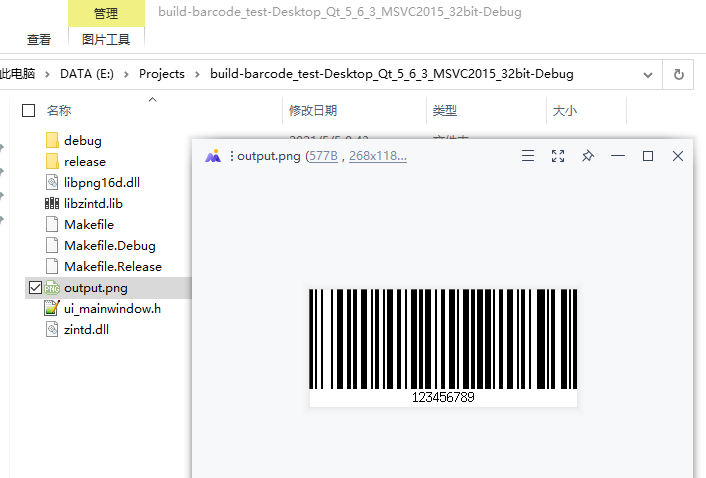
Zint是一个强大的一、二维码生成工具 接口文档:https://zint.org.uk/Manual.aspx?type=p&page=5 zint_manual.pdf 一、下载zlib,libpng,zint zlib: https://zlib.net/fossils/ libpng:
Published on 2021-05-06
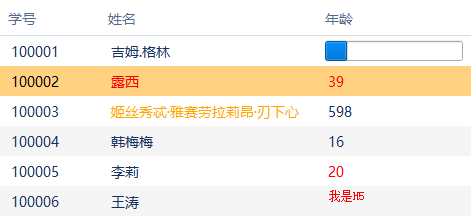
表格单元格文字颜色可以通过ForegroundRole来设置,但选中高亮的颜色是另外设的,且优先级更高,好像只能通过styleSheet样式设置,想要选中时文字颜色保持不变,可以使用代理。 使用代理 class CommonDelegate : public QStyledItemDelegate
Published on 2020-12-04
// 添加打印支持 QT += printsupport // 包含头文件 #include <QDesktopServices> #include <QFileDialog> #include <QTextBlock> #include <QTextDocument> #include
Published on 2020-07-19

使用QStyledItemDelegate代理手动绘制文字 #ifndef MAINWINDOW_H #define MAINWINDOW_H #include <QMainWindow> #include <QStyledItemDelegate> class QTableView; clas
Published on 2019-07-17
Qt中可以将qDebug()输出的信息重定向通过窗口控件输出; 定义一个MsgHandlerWapper类用于转接消息: // msghandlerwapper.h #ifndef MSGHANDLERWAPPER_H #define MSGHANDLERWAPPER_H #include <QtC
Published on 2019-06-24
1. 直接添加到Scene QGraphicsScene *scene = new QGraphicsScene; QLineEdit *lineEdit = new QLineEdit("Hello"); QGraphicsProxyWidget *proxy = scene->AddWidget
Published on 2019-06-20
直接重写鼠标事件,遇到的问题是:只响应press事件,而move和release事件不响应。 解决方式是将item设为selectable或movable。 //构造函数中 this->setFlag(QGraphicsItem::ItemIsSelectable); this->setAccept
Published on 2019-06-18
#include <QCoreApplication> #include <QJsonArray> #include <QJsonDocument> #include <QJsonObject> #include <QJsonParseError> #include <QFile> #include
Published on 2019-05-16

